
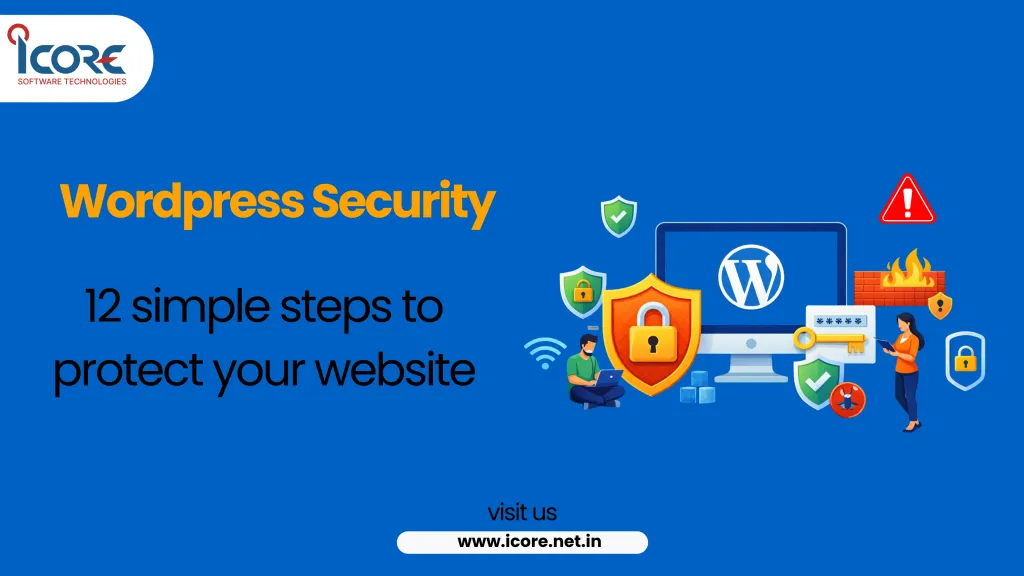
WordPress Security: 12 Simple Tips to Protect Your Website
Related Insights



Key Takeaways
- •13,000 sites are hacked daily; 11,334 new WordPress-ecosystem vulnerabilities were found in one recent year, up 42% year over year.
- •96% of disclosed WordPress vulnerabilities are in plugins, fewer than 1% in WordPress core itself.
- •43% of disclosed vulnerabilities allow unauthenticated exploitation.
- •Median time to first exploitation after disclosure is just 5 hours.
- •A 2026 supply-chain attack compromised 25+ plugins on WordPress.org in 72 hours, exposing an estimated 800,000 sites.
WordPress Security: 12 Simple Tips to Protect Your Website
Roughly 13,000 websites get hacked every day, and the median time between a WordPress vulnerability being disclosed and the first real-world attack exploiting it is just 5 hours. Around 20% of disclosed flaws are attacked within six hours, and 70% within a week. If you're running a WordPress site and treating security as a "someday" task, that window has likely already closed more than once without you noticing.
Key Takeaways
- 13,000 sites are hacked daily, and 11,334 new WordPress-ecosystem vulnerabilities were found in a single recent year — up 42% year over year.
- 96% of disclosed WordPress vulnerabilities are in plugins, roughly 4% in themes, and fewer than 1% in WordPress core itself — your plugin list is your biggest real risk surface.
- 43% of disclosed vulnerabilities allow unauthenticated exploitation, meaning an attacker needs no login credentials at all to exploit them.
- The median time to first exploitation after a vulnerability is disclosed is just 5 hours — roughly half of flaws are attacked within 24 hours.
- A single 2026 supply-chain attack compromised 25+ plugins on the official WordPress.org repository in 72 hours, exposing an estimated 800,000 sites.
What "WordPress Security" Actually Means
WordPress security isn't one setting you switch on — it's a combination of keeping software updated, limiting what can be exploited even if something is missed, and having a real recovery plan if something does get through. Given plugins carry 96% of the actual risk, most of the real work is in what you install and how you manage it, not the WordPress core software itself.
What It Looks Like When It's Working
Scenario: A Coimbatore retail business's WordPress site was compromised through an outdated contact-form plugin that hadn't been updated in over a year — a classic case of the 96% plugin-vulnerability pattern. The site was defaced and briefly blacklisted by Google, costing roughly two weeks of organic traffic while they cleaned up and requested a review. After the rebuild, they implemented automatic plugin updates, removed four unused plugins, added two-factor authentication for all admin accounts, and set up daily automated backups.
Eighteen months later, the site has had zero further incidents despite two attempted brute-force login waves that automated monitoring caught and blocked — exactly the kind of attack the 43% unauthenticated-exploitation statistic warns about, neutralized by having the basics genuinely in place.
12 WordPress Security Tips That Actually Matter
1. Update WordPress core, themes, and plugins immediately
Given the median time to exploitation is just 5 hours after disclosure, delaying an update by even a day meaningfully raises your risk. Enable automatic updates for minor releases at minimum.
2. Audit and remove unused plugins ruthlessly
Since 96% of vulnerabilities live in plugins, every inactive or unnecessary plugin is pure risk with zero benefit. Deactivated isn't safe — delete plugins you're not actively using.
3. Only install plugins from reputable sources with active maintenance
Check the plugin's last update date and active install count before adding it. A plugin untouched for over a year is a common entry point for exactly the kind of attacks in the data above.
4. Enable two-factor authentication for every admin account
Since 43% of vulnerabilities need no credentials at all, and brute-force login attempts remain constant background noise for any WordPress site, 2FA closes off the most common credential-based attack path entirely.
5. Use strong, unique passwords and a password manager
Reused or weak admin passwords are still one of the most common ways sites get compromised, independent of any plugin vulnerability.
6. Limit login attempts and rename the default login URL
This alone stops the majority of automated brute-force bots that constantly probe the default /wp-admin login page on every public WordPress site.
7. Install a reputable security plugin for monitoring
A security plugin that monitors file changes and blocks suspicious activity gives you a real chance of catching an attack in the critical early hours, rather than discovering it weeks later.
8. Set up automated, off-site daily backups
Given how fast exploitation happens after disclosure, a recent backup is often the difference between a quick restore and a multi-week recovery. Store backups off the same server as the site itself.
9. Use a Web Application Firewall (WAF)
A WAF filters malicious traffic before it reaches WordPress at all, providing a layer of protection even against vulnerabilities that haven't been patched yet.
10. Restrict file editing from the WordPress dashboard
Disabling the built-in theme and plugin file editor removes one of the easiest tools an attacker can use to inject malicious code once they gain any level of access.
11. Keep PHP and server software current
An outdated PHP version or server stack can carry its own vulnerabilities independent of WordPress itself — this is a hosting-level responsibility worth confirming with your provider.
12. Have an incident response plan before you need one
Know in advance who to call, where your latest backup lives, and how to request a Google blacklist review if it comes to that — deciding this during an actual incident costs valuable time.
Common Challenges and How to Overcome Them
"We update regularly but still got hacked."
Check for unused, inactive plugins first — given 96% of vulnerabilities live there, an old plugin you forgot about is a common culprit even on an otherwise well-maintained site.
"We don't have the technical resources to manage security ourselves."
A managed WordPress hosting plan or a security-focused plugin with automated scanning covers most of the basics without requiring in-house technical staff.
"Our site got blacklisted and we don't know how to recover."
Clean the infection first (via a security plugin or professional cleanup), then request a review through Google Search Console — reviews are typically resolved within a few days once the site is genuinely clean.
Where Smaller Businesses Have an Advantage
- Fewer plugins and simpler sites mean a smaller, more manageable attack surface than a complex enterprise WordPress setup.
- Faster decision-making means security fixes and plugin removals can happen immediately, without the approval delays larger organizations face.
How WordPress Security Connects with Other Priorities
A compromised site directly damages SEO (Google blacklisting halts organic traffic instantly), erodes customer trust if data is exposed, and undermines every other marketing investment — a hacked site converts nobody, regardless of how good the traffic driving to it is.
Best Practices for WordPress Security
- Update core, themes, and plugins immediately, not on a "when convenient" schedule.
- Delete unused plugins rather than just deactivating them.
- Enable two-factor authentication for every account with admin access.
- Maintain automated, off-site daily backups at minimum.
- Review your installed plugin list quarterly and remove anything no longer actively needed.
FAQs
How often should I update WordPress plugins?
Immediately when updates are available, given the median exploitation time after disclosure is just 5 hours — enable automatic updates where possible.
Is WordPress core itself insecure?
No — fewer than 1% of disclosed vulnerabilities are in WordPress core; the real risk sits almost entirely in plugins and themes.
Do I really need two-factor authentication for a small site?
Yes — automated brute-force attacks target every public WordPress login page regardless of site size or traffic.
What should I do first if my site gets hacked?
Restore from your most recent clean backup if you have one, then clean any remaining infection and request a Google Search Console review if the site was blacklisted.
Conclusion
WordPress security in 2026 comes down to a small number of consistently applied habits: update immediately, remove what you don't use, lock down logins, and keep real backups. Given how fast real attacks follow a disclosed vulnerability, the businesses that stay safe are the ones treating these basics as non-negotiable, not optional.
If you'd like a security audit of your current WordPress site, get in touch for a straightforward review.
Share it with your colleagues and social network.